What Is Cursor AI, Who Created It, and How It Is Changing Coding with Advanced AI Technology

Discover what Cursor AI is, who built it, and how this AI-powered code editor by Anysphere is transforming modern software development for developers worldwide.
1. Introduction
Software development is changing faster than ever before. A task that used to take a developer several hours can now be completed in minutes with the right tools. Artificial intelligence is no longer just a topic for researchers and data scientists — it has moved directly into the code editor, sitting right next to the developer as they work.
AI coding tools have become one of the most talked-about technologies in the software industry over the past couple of years. Developers are no longer just writing code manually, line by line. They are now working alongside intelligent systems that can understand context, suggest solutions, generate entire functions, and even fix bugs automatically. This shift is not a small improvement — it represents a fundamental change in how software gets built.
Among all the AI tools that have entered this space, one has stood out clearly: Cursor AI.
Cursor AI is an AI-powered code editor that has quickly gained the attention of developers around the world. It is not just an add-on or a plugin. It is a fully built development environment designed from the ground up to work with artificial intelligence at its core. Whether you are a solo developer building a personal project or part of a large engineering team shipping complex applications, Cursor AI promises to change the way you write code.
In this article, you will get a complete, clear, and honest understanding of what Cursor AI is, who built it, how it actually works, what its real benefits are, and where it is headed in the future. By the end, you will understand why this tool has become one of the most important developments in modern software engineering.
2. What Is Cursor AI?
Cursor AI is an artificial intelligence-powered code editor. In simple terms, it is a program where developers write code, but unlike traditional editors, it has deep AI integration built directly into the experience. It is not just an autocomplete tool or a chatbot attached to an existing editor — it is an entirely redesigned development environment where AI is a first-class participant in the coding process.
The purpose of Cursor AI is to make developers faster and more capable. It helps them write code faster, understand large codebases more easily, fix bugs with less effort, and explore new technologies without spending hours reading documentation. The goal is to remove the friction that slows developers down so they can focus on solving real problems and building real products.
Cursor AI was created because the traditional code editor experience had not fundamentally changed in many years. Tools like Visual Studio Code, Sublime Text, and JetBrains products are excellent, but they were designed before large language models became powerful enough to assist with complex reasoning. The founders of Cursor AI saw an opportunity to build something new — an editor designed specifically for the age of AI.
What makes Cursor AI different from traditional IDEs is not just that it has AI features. It is that the entire editor is structured around AI assistance. It understands your full codebase, not just the file you are currently looking at. It can answer questions about your code, make edits across multiple files at once, and respond to natural language instructions. You can tell it what you want to build, and it will help you build it — in plain English.
3. The Company Behind Cursor AI
Cursor AI is built and maintained by a company called Anysphere. Anysphere is an AI-focused software company based in San Francisco, California. The company was founded with a specific mission: to build AI tools that make software developers dramatically more productive.
Anysphere operates with the belief that software development is one of the most important activities in the modern economy, and that AI can multiply the output of every developer in a significant way. Rather than building general AI products, Anysphere chose to go deep in a specific area — the code editor — and build the best possible AI-native experience for developers.
The company has attracted serious investment from notable venture capital firms and investors who believe in the long-term potential of AI-powered development tools. Anysphere is not a large corporation. It is a focused, product-driven team that has been able to create a product that competes with — and in many areas outperforms — tools built by much larger organizations.
The vision of Anysphere is clear: they want to build the future of software development. They want a world where developers are not bottlenecked by slow, repetitive tasks, where writing code feels natural and fluid, and where AI acts as a true collaborator rather than just a tool that gives occasional suggestions.
4. Who Created Cursor AI? The Founders
Cursor AI was founded by four individuals who met at the Massachusetts Institute of Technology, commonly known as MIT. Their names are Michael Truell, Aman Sanger, Sualeh Asif, and Arvid Lunnemark. Each of them brought a strong technical background to the table, and together they formed the core team that built Anysphere and launched Cursor AI.
Michael Truell is one of the lead figures behind the project. He studied at MIT and developed a strong foundation in computer science and applied AI during his academic years. His interest in building practical AI systems that developers could use daily became one of the driving forces behind Cursor's design philosophy.
Aman Sanger also comes from an MIT background and brought deep knowledge of machine learning and software systems to the founding team. His ability to think about AI model integration at a practical engineering level helped shape how Cursor AI handles code understanding and generation.
Sualeh Asif contributed expertise in software engineering and system design. His focus on building clean, scalable software helped ensure that Cursor AI was not just a research project but a real product that developers could use professionally in their daily work.
Arvid Lunnemark rounded out the team with his background in engineering and product development. His contributions helped translate the technical vision of the project into a product that was intuitive, fast, and genuinely useful for working developers.
What is notable about these four founders is that they did not come from large tech companies with years of industry experience before starting Anysphere. They were students who identified a problem, believed they could solve it, and built a product that has gone on to serve hundreds of thousands of developers worldwide. Their story is a strong example of what is possible when strong technical ability meets a clear vision.
5. Founders' Background and Vision
The founders of Cursor AI shared a common experience during their time at MIT: they spent enormous amounts of time writing code, and they consistently felt that the tools available to them were not keeping up with what AI could already do. They were studying and working with advanced machine learning systems, yet when they sat down to write software, their editor still felt like it belonged to a previous decade.
This frustration was productive. Instead of accepting the status quo, they decided to build what they wished already existed. They wanted a code editor that could truly understand code — not just highlight syntax or suggest a variable name, but actually read and reason about what a codebase was doing, answer questions about it, and help make changes across the whole project intelligently.
Their vision was not just to make a better autocomplete. They wanted to create an AI collaborator for every developer — a tool that behaves less like a piece of software and more like a highly skilled pair programmer who is always available, never gets tired, and knows everything about your codebase.
They also understood that AI models were going to keep getting better rapidly. They built Cursor AI in a way that allows it to integrate with the most advanced AI models available, which means the product becomes more capable over time without requiring users to switch to a different tool. The architecture they chose reflects a long-term view of where AI and software development are heading.
6. How Cursor AI Works
Understanding how Cursor AI works requires looking at several layers. On the surface, it looks like a code editor — but underneath, it is an intelligent system that processes code, understands context, and responds to natural language.
AI Model Integration
Cursor AI is built on top of powerful large language models, including models from Anthropic and OpenAI, as well as Cursor's own proprietary models. These are the same types of models that power AI assistants capable of reasoning, writing, and understanding complex language. By integrating these models directly into the editor, Cursor can understand and generate code at a sophisticated level.
Code Understanding and Context Awareness
One of the most important things Cursor AI does differently is that it understands your entire codebase, not just the single file you have open. Traditional AI coding assistants often only look at the current file or a limited window of code around your cursor. Cursor AI can index your entire project and use that broader context when making suggestions or answering questions. This means its responses are much more relevant and accurate because it actually knows what your code is trying to do as a whole system.
Natural Language Commands
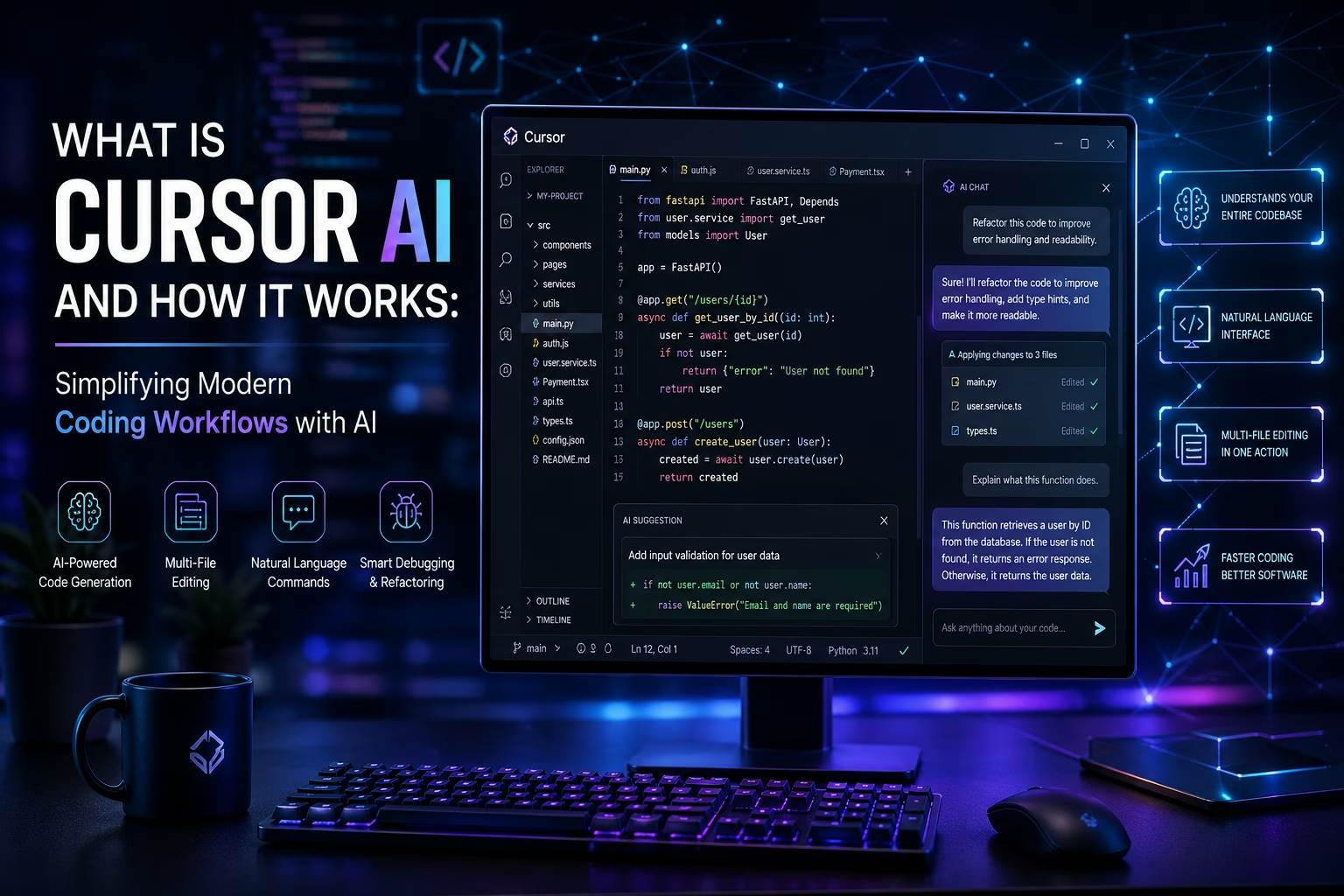
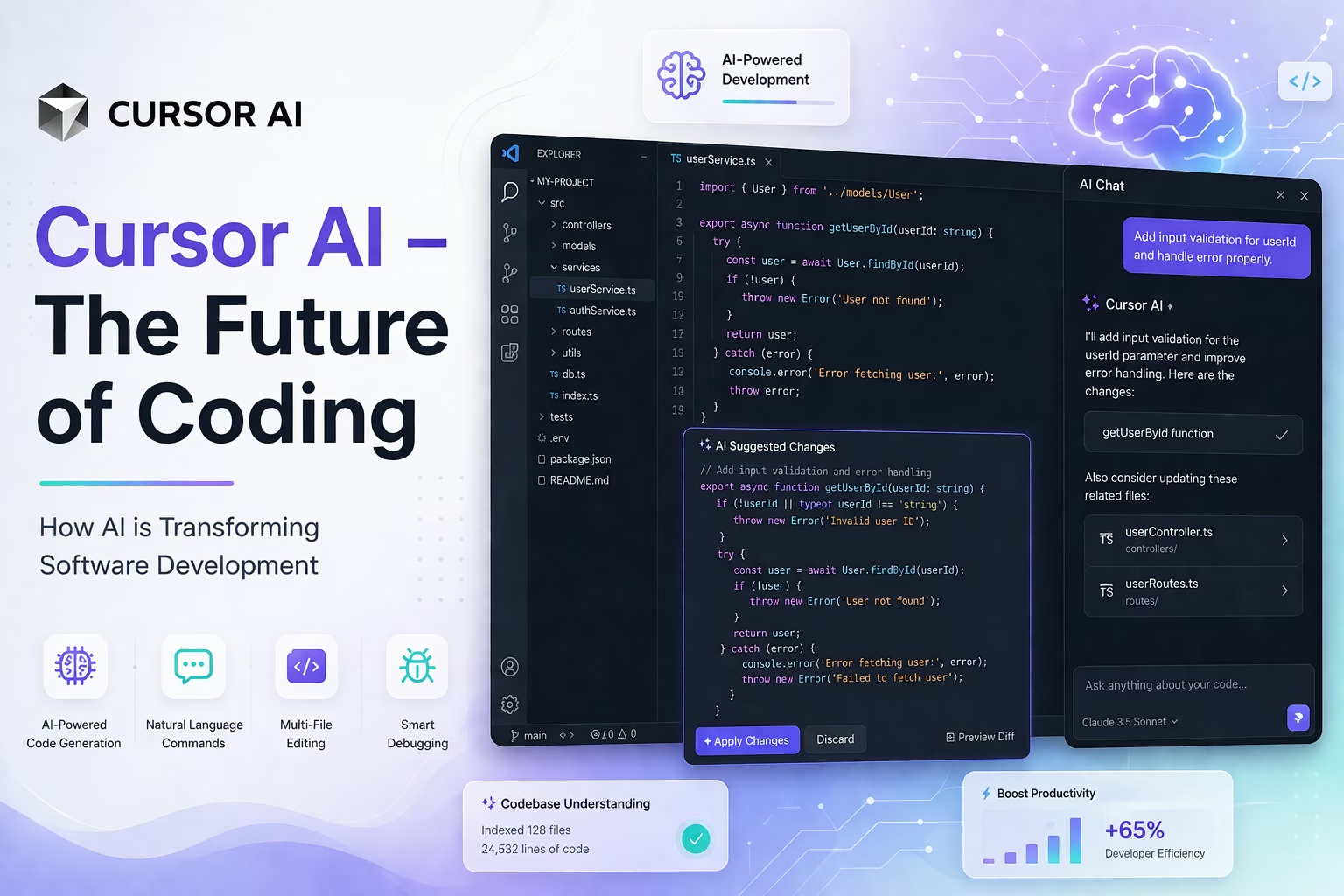
You can interact with Cursor AI using plain English. Instead of memorizing complex commands or spending time searching through documentation, you can simply describe what you want. For example, you might type "add input validation to this form and return an error message if the email is invalid." Cursor AI understands the instruction, looks at the relevant code, and makes the appropriate changes. This makes the tool accessible to a wide range of developers and dramatically speeds up common tasks.
Code Generation
Cursor AI can generate complete functions, modules, and even entire components from a description. If you explain what a piece of code should do, it will write it for you. This is not simple template filling — the generated code is aware of the patterns, libraries, and conventions already present in your project. It writes code that fits naturally into what already exists rather than producing generic output that needs heavy editing.
Multi-File Editing
Perhaps one of Cursor AI's most impressive capabilities is its ability to make coordinated changes across multiple files at once. In large projects, a single logical change might require updates in several different files. Cursor AI can understand the scope of a change and apply it consistently across the codebase. This is a major time-saver for developers working on complex applications.
7. Key Features of Cursor AI
Cursor AI comes with a set of features that together create a powerful development experience. Here are the most important ones:
- AI-powered code generation: Write complete functions, components, and logic blocks from natural language descriptions.
- Smart autocomplete: Predicts what you are likely to write next based on the context of your entire codebase, not just the current line.
- Full codebase understanding: Indexes and understands your whole project so that suggestions and answers are always relevant to what you are building.
- Debugging assistance: Identifies bugs, explains what went wrong, and suggests or applies fixes automatically.
- AI chat inside the editor: Lets you have a conversation with the AI about your code without leaving the development environment. Ask questions, get explanations, or request changes in plain language.
- Multi-file editing: Applies intelligent, coordinated changes across multiple files in a single operation.
- Built on VS Code: Cursor AI is built on top of Visual Studio Code, which means it supports all VS Code extensions and feels familiar to millions of developers immediately.
8. Benefits of Using Cursor AI
The practical benefits of using Cursor AI in day-to-day development are significant. Here is what developers consistently report after adopting the tool:
- Faster coding: Routine tasks that used to take significant time — writing boilerplate, setting up structures, creating standard functions — happen much faster with AI assistance.
- Time saving: Less time spent searching documentation, reading Stack Overflow, or trying to remember exact syntax means more time spent on meaningful work.
- Better productivity: Developers can stay in a focused flow state for longer because the AI handles many of the micro-decisions and routine tasks that normally interrupt concentration.
- Reduced errors: AI-generated code suggestions are aware of context, which means they are less likely to introduce simple logical errors or inconsistencies compared to writing everything manually.
- Accessible to beginners and professionals alike: Beginners benefit from AI guidance that teaches good patterns. Experienced developers benefit from speed and automation of repetitive work. The tool adds value at every skill level.
- Less context switching: Having AI chat, code generation, and debugging all inside one editor means developers do not have to jump between multiple tools throughout the day.
9. How Cursor AI Is Changing Software Development
The arrival of Cursor AI and tools like it represents a genuine shift in how software development works as a professional practice. The change is not just about speed — it is about what becomes possible.
AI-assisted workflows allow developers to explore more ideas in less time. When generating a working prototype takes hours instead of days, teams can test more approaches before committing to a direction. This changes how products are designed and built.
Development cycles are becoming shorter. Startups and engineering teams that adopt AI-assisted tools are shipping features faster, responding to user feedback more quickly, and maintaining larger codebases with smaller teams. The economics of software development are shifting.
Manual effort is being reduced in meaningful ways. Writing repetitive code, setting up standard configurations, creating test cases, and documenting functions are all areas where AI tools like Cursor are taking on significant portions of the work. Developers who once spent 40% of their time on such tasks are reclaiming that time for higher-value thinking.
Developer productivity is increasing not just individually but at the team level. When every engineer on a team is more productive, the multiplied effect on what a team can deliver is substantial. This is why AI coding tools have become a strategic priority for engineering organizations of all sizes.
10. Real-World Use Cases
Cursor AI is being used across a wide variety of development contexts. Some of the most common real-world applications include:
Web development: Frontend developers use Cursor AI to generate React components, write CSS logic, build form validation, and manage state — all faster and with fewer errors.
Backend systems: Backend engineers use it to write API endpoints, set up database queries, structure middleware, and handle authentication flows with AI assistance at every step.
App development: Mobile and desktop application developers use Cursor to move faster through repetitive setup tasks and to get intelligent suggestions tailored to the frameworks they are using.
Debugging workflows: When something breaks, developers describe the problem to Cursor AI, which analyzes the relevant code and proposes specific fixes. This is often faster than manual debugging, especially in large codebases.
Learning new technologies: Developers exploring unfamiliar frameworks or languages use Cursor AI as a knowledgeable guide that can explain concepts and generate working examples in the context of their actual project.
11. Recent Developments and Growth
Cursor AI has grown rapidly since its launch. Developer adoption has accelerated strongly, with a large and active community forming around the product. It has become one of the most frequently discussed tools in developer communities, forums, and social platforms dedicated to software engineering.
Anysphere has received significant investment funding from respected venture capital firms, reflecting strong confidence in the long-term commercial potential of AI-native development tools. This funding has allowed the team to continue improving the product, invest in their own AI research, and expand the capabilities of the editor.
The tool has moved from being a product used primarily by early adopters to becoming a mainstream choice for professional developers and engineering teams. Companies of various sizes have integrated Cursor AI into their standard development workflows, and usage continues to grow across different industries and geographic regions.
12. Limitations of Cursor AI
No technology is perfect, and it is important to look at Cursor AI honestly. There are real limitations that any user should be aware of:
- Not always accurate: AI-generated code can contain mistakes, especially in complex or specialized situations. The output always needs to be reviewed by a developer before being used in production.
- Requires human validation: Cursor AI is a tool that assists developers, not one that replaces their judgment. Every suggestion it makes needs to be evaluated for correctness, security, and suitability.
- Learning curve: While the interface is familiar to VS Code users, learning how to give effective instructions to the AI and getting the most out of its capabilities takes some practice and adjustment.
- Subscription cost: The full capabilities of Cursor AI require a paid subscription, which may be a consideration for individual developers or small teams with tight budgets.
- Internet dependency: Many of Cursor AI's most powerful features require an active internet connection to communicate with cloud-based AI models.
13. The Future of Cursor AI and AI Coding
The trajectory of Cursor AI and AI-powered coding tools in general points toward a future that is significantly different from how software development works today.
The next stage involves AI agents — systems that can take a complex goal described in plain language and autonomously complete multi-step development tasks. Rather than assisting with individual code changes, AI agents would be capable of building entire features or modules with minimal human input, checking their own work, and iterating until the result meets the specified requirements.
Automated development pipelines are another area of development. Future systems may be able to handle tasks like writing tests, managing deployments, updating dependencies, and monitoring performance with increasing levels of automation — reducing the operational burden on engineering teams.
The long-term vision shared by many people in this space, including the founders of Anysphere, is a world where the limiting factor in software development is no longer how fast developers can write code, but how clearly teams can define what they want to build. AI handles more of the execution; humans focus more on direction, architecture, and judgment.
14. Business Opportunity in AI Software
The rapid growth of tools like Cursor AI signals something important for businesses and entrepreneurs: the market for AI-powered software tools is expanding rapidly, and there is substantial opportunity for those who move early.
The global demand for developer productivity tools is increasing as software becomes more central to every industry. Companies are actively looking for AI solutions that can reduce their development costs, speed up delivery, and help smaller teams accomplish more.
There is strong demand not just for off-the-shelf tools like Cursor AI but also for custom AI software solutions tailored to specific industries and use cases. Businesses in healthcare, finance, logistics, e-commerce, and many other sectors are beginning to invest in purpose-built AI tools that solve their particular problems.
For entrepreneurs, agencies, and technology companies, this represents a significant market opportunity. Building custom AI-powered development tools, workflow automation systems, intelligent software assistants, and specialized developer tools is a growing area of business where early movers can establish strong positions.
15. Building Your Own AI-Powered Software Solution
If the story of Cursor AI has shown anything, it is that powerful, impactful AI tools can be built by focused teams with a clear vision. The technology that powers these tools is more accessible than ever, and businesses that invest in building custom AI solutions now are positioning themselves for a significant competitive advantage.
Whether you are looking to build a custom AI coding assistant, an intelligent automation platform, a developer productivity tool, or any other software solution powered by artificial intelligence, the opportunity is real and the timing is right.
LetDigitalFly is a professional software development company that specializes in building custom AI tools, modern web applications, and digital automation solutions. Their team has experience designing and building intelligent software products that meet specific business needs — from concept and architecture through to deployment and support. If you are thinking about building your own AI-powered software tool or need a custom digital product developed professionally, you can explore their work and services at https://www.letdigitalfly.com/.
16. Conclusion
Cursor AI is one of the clearest examples of how artificial intelligence is transforming a professional field in real, practical ways. It started as the project of four MIT students who were frustrated with existing tools and believed they could do better. It has grown into one of the most widely used AI-powered development tools in the world, backed by a serious company — Anysphere — with a clear mission and strong resources.
The tool works because it addresses real problems that developers face every day. It understands code at a deep level, responds to natural language, generates high-quality output, and integrates smoothly into professional workflows. Its benefits are practical and measurable: faster development, fewer errors, better productivity, and a development experience that feels genuinely modern.
The limitations are real too, and responsible developers will always treat AI-generated code as a first draft that requires review. But those limitations do not change the fundamental direction: AI coding tools are becoming a standard part of professional software development, and Cursor AI is leading that change.
The future ahead — AI agents, automated pipelines, natural language-driven development — represents a continuation of the trend that Cursor AI is already part of. For developers, this is an exciting time to be in the field. For businesses, it is a moment to think seriously about how AI can accelerate their own software development efforts.
If you are planning to build AI-based software or any custom digital solution, you can contact our team for professional development services at https://www.letdigitalfly.com/contact/.